
Feature Release
Launched on Feb 18, 2026

Rex Automations

Rex Automations

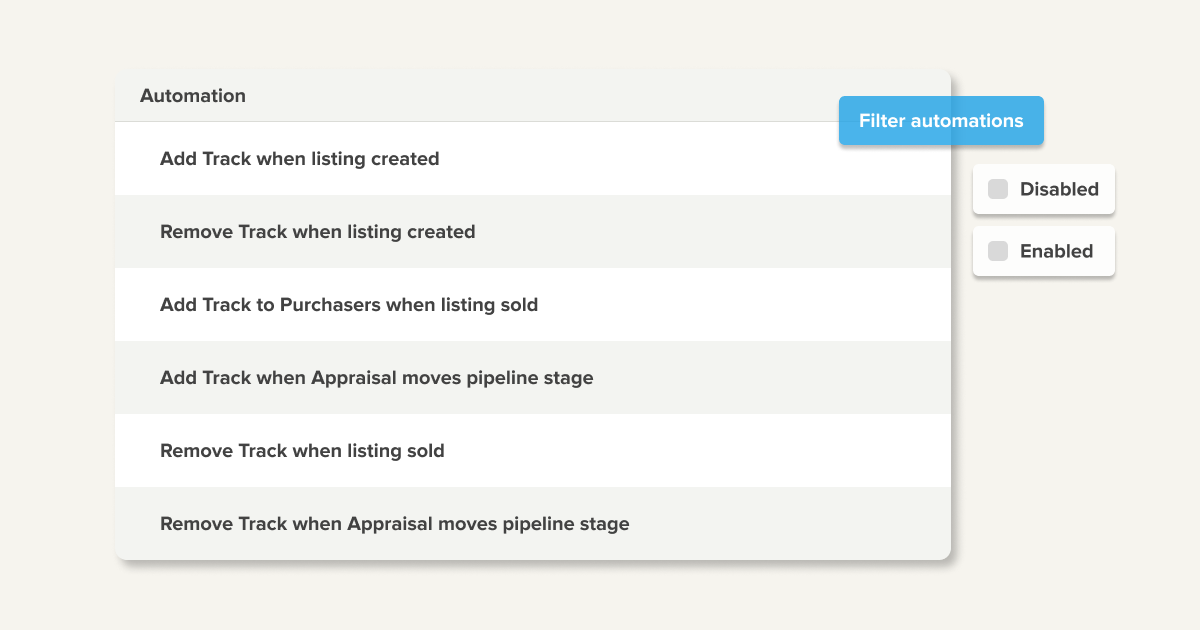
We’ve introduced Rex Automations, a new way to automatically add and remove Tracks at key moments in the property sales lifecycle.

Why Rex automations?

  • Deliver a more consistent experience to customers
  • Reduce manual actions thus errors
  • Improve compliance
  • Ensure records are always up-to-date.

What's new?

Automatically add or remove Tracks when:

  • A listing is created
  • A listing is marked as sold
  • An appraisal moves through the pipeline.

How it works:

  1. Go to Settings → Automations
  2. Duplicate a template to create an editable rule
  3. Select a Track
  4. Optional conditions (e.g. Listing Type) can be applied
  5. The automation is enabled and runs automatically in the background.

Tracks added or removed by automation behave exactly like manually applied Tracks, including reminders and visibility on records.

Recent Updates

Rex Automations

We’ve introduced Rex Automations, a new way to automatically add and remove Tracks at key moments in the property sales lifecycle.

Rex Hub for Vendors

A self-serve portal that gives vendors real-time visibility into their property's progress.

Tenancy Applications—Now Smarter, Faster, and Fully Customisable

E-sign, track, and customise tenancy apps. Templates, auto-filled details, and smarter workflows—now live in Rex.

Security Enhancements 2025

To keep your Rex CRM account (and your data) safe, we’ve rolled out some new security measures.

One Step, Two Actions: Feedback and Reminders Together at last

Add reminders while entering feedback—no extra steps, no wasted time. Smarter follow-ups, effortless execution.

Fine-Tune Your Listing Reports with Land Characteristic

Filter listing reports by land characteristics for pinpoint accuracy. More control, better insights. Available now in Reporting > Listings.