Prepare your Facebook page for advanced listings
Published on:
January 4, 2022
Last Updated:
April 16, 2024
In this article
Grant access to Facebook page
In order to be able to place Advanced Listings, Spoke requires increased access to your Facebook page. To do this, please follow these instructions:
Instructions
1. Log in to Business Manager
2. Select 'Business Settings' via the bottom left-hand side cogwheel.
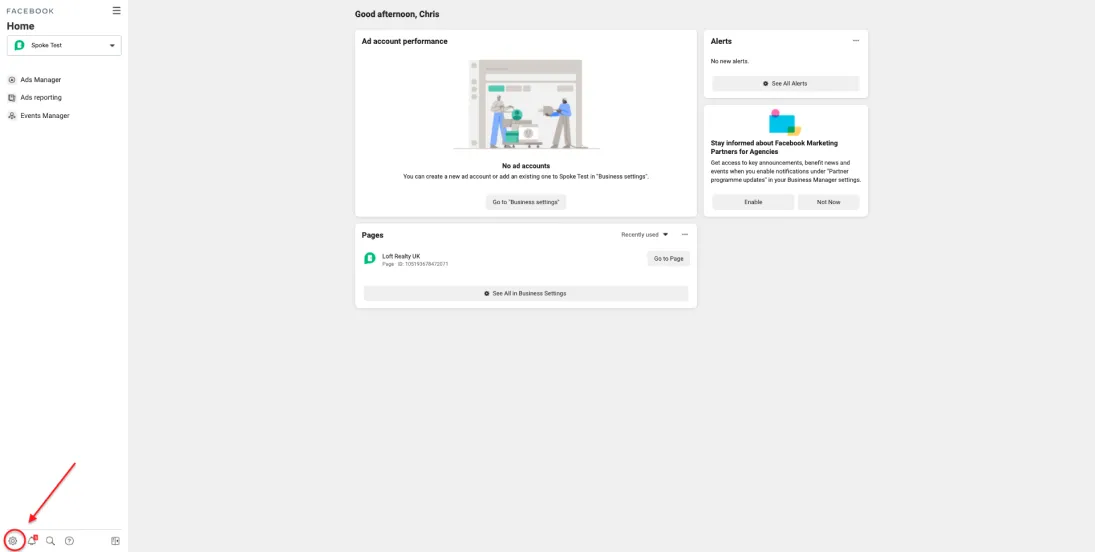
3. Select 'Partners' located under 'Users' and find Spoke.
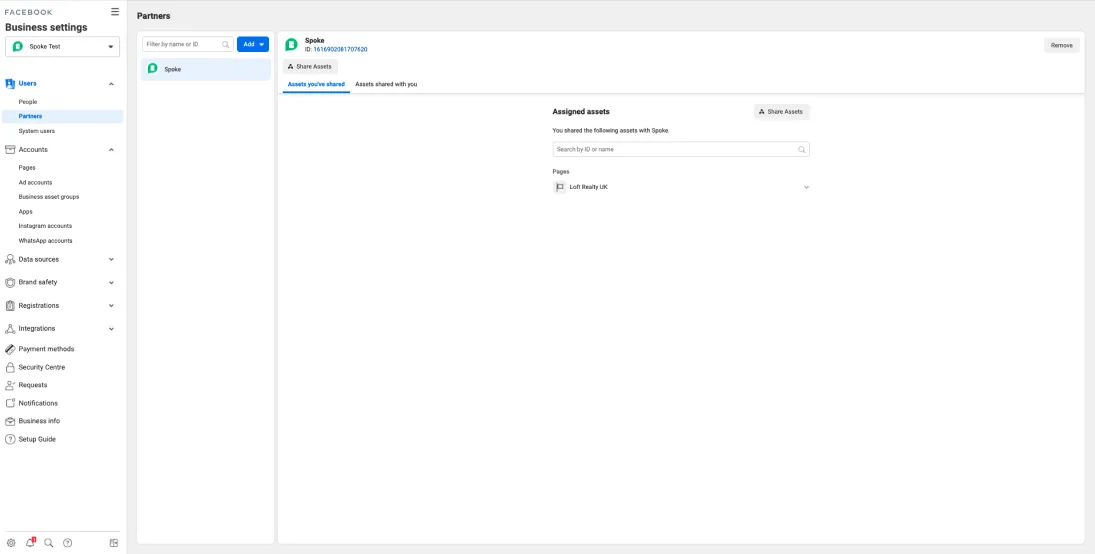
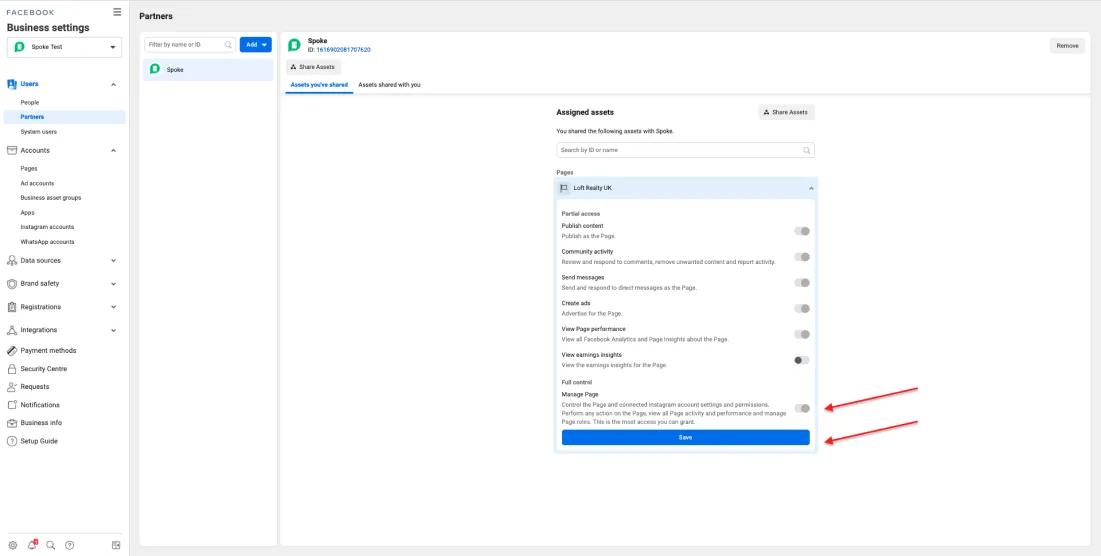
4. Click on the Facebook page you are using in Spoke. This should bring up a series of toggles.

5. Click the toggle next to 'Manage Page' under 'Full Control' and 'Save'
That’s all
What to expect next:
Now that you are done with giving Spoke access to your Facebook page, we’ll go through and check whether your account is ready to go. If you haven’t already updated your privacy policy URL in Spoke, you’ll notice a message in Spoke asking you to do this. Once done, the system can take up to 48 hours to activate the new features.
Ready to unlock your growth potential?

Related Articles
No content. Check back later.

Start winning more listings and power your business with Rex